The quick answer
Choose a Bitaxe if you want the simplest, lowest-power route into real home Bitcoin mining. Choose a NerdQaxe if you already know you want substantially more hashrate from one machine and are prepared for more heat, power and cooling.
Both are genuine SHA-256 ASIC miners. The difference is not whether they can mine Bitcoin. The difference is how much hardware, hashrate and thermal management you want to bring into your home.
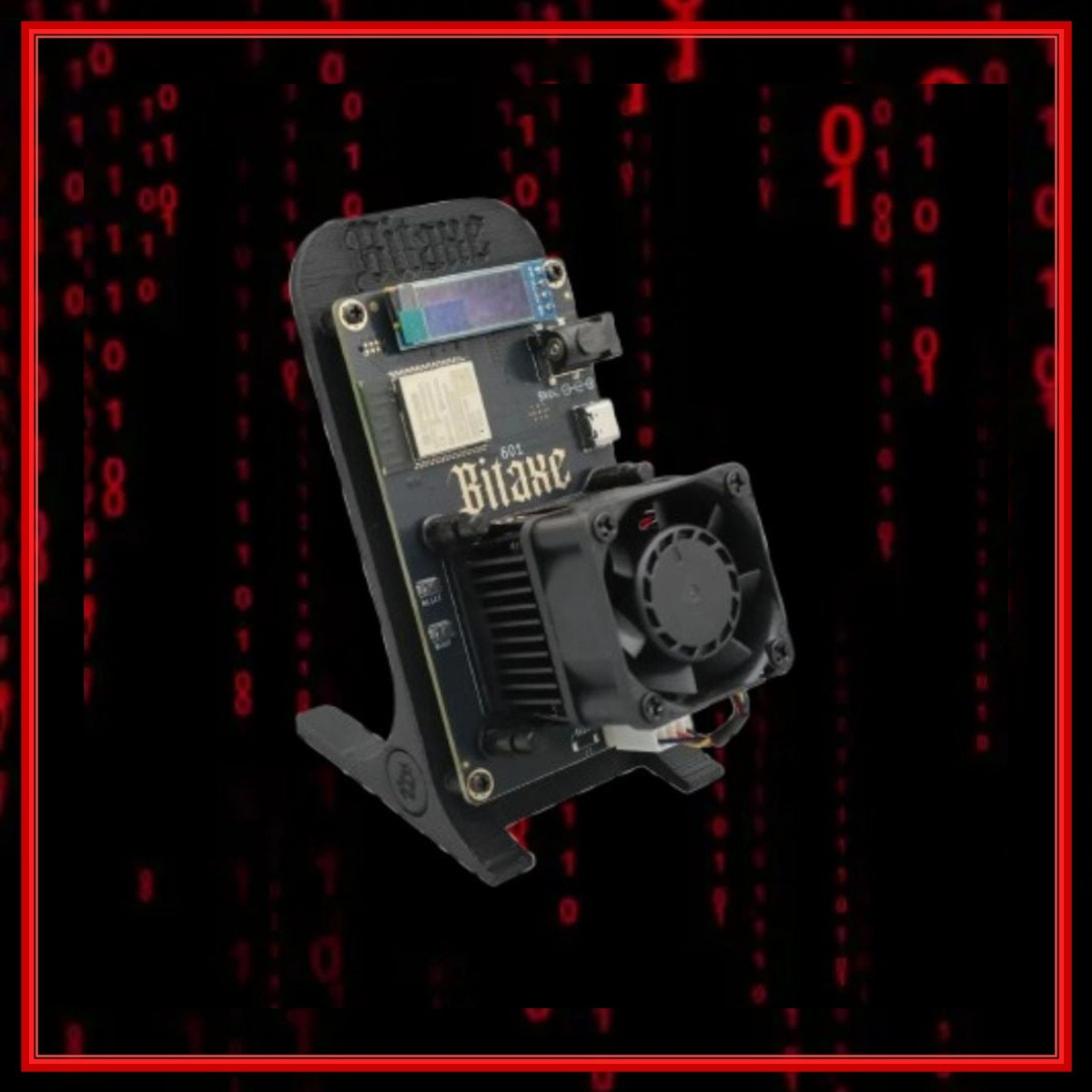
Bitaxe Gamma single-chip design.
Official Gamma design target before individual tuning.
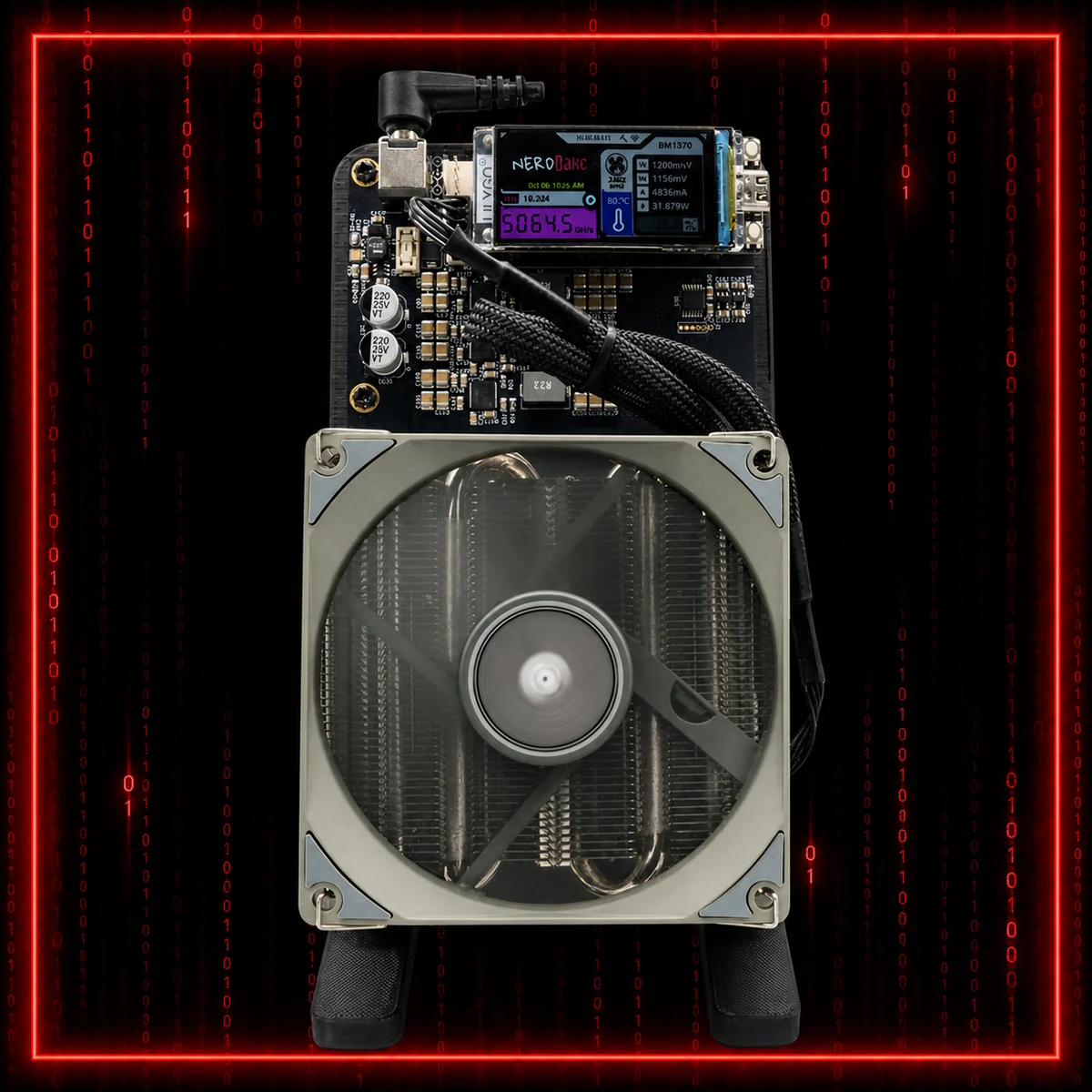
NerdQaxe++ multi-chip design.
Core NerdQaxe++ performance class.
The hardware difference
The Bitaxe Gamma 601 uses one BM1370 ASIC. The official open-source design targets roughly 1.2 TH/s, with actual results changing according to cooling, voltage, frequency and chip quality.
The NerdQaxe++ combines four BM1370 chips. That moves it into roughly the 4.8 TH/s class, with selected builds and settings reaching higher. It is not a different kind of mining; it is more mining silicon working inside one device.
If you want to understand how the BM1370 compares with newer silicon, the BM1370 vs BM1373 comparison covers the next-generation question separately.
Hashrate: how much more work?
A stock-class NerdQaxe++ at 4.8 TH/s performs about four times the work of a 1.2 TH/s Bitaxe Gamma. Against a well-tuned Gamma around 1.5 TH/s, the NerdQaxe is still doing more than three times as many hash attempts every second.
That extra hashrate normally produces more frequent accepted-share feedback on compatible pool difficulty. Accepted shares prove that useful work is reaching the pool; they do not automatically represent a payout percentage. The crypto mining and accepted-shares guide explains the distinction.
Power, heat and cooling
A Bitaxe Gamma normally sits around the 20 to 25 W class. It is easier to power, easier to place and produces less total heat. Active cooling is still essential, but one chip is a manageable starting point.
An air-cooled NerdQaxe++ is commonly in roughly the 70 to 80 W class. Four chips produce far more total work and more total heat, so airflow, power quality and room temperature become more important. The NerdQaxe Hydro review is useful if thermal control matters more than simplicity.
Noise and living-space use
The Bitaxe is the easier desk or shelf miner. Its smaller cooling system can be kept relatively unobtrusive, especially with a quality fan and sensible settings.
The NerdQaxe remains home-friendly compared with industrial ASICs, but its larger cooling hardware has more presence. It needs clearer airflow and more thought about where warm air goes. If the miner will sit near a bed, television or work desk, cooling design matters as much as the headline hashrate.
Setup and software
Both device families use browser-based controls in the AxeOS or NerdAxe OS ecosystem. The essential setup remains familiar: connect Wi-Fi, open the miner dashboard, enter the Stratum host, port, username and password, then confirm accepted work.
The Bitaxe and NerdAxe setup guide walks through those steps with screenshots. A new miner should establish a stable baseline before changing frequency, voltage or cooling.
| Category | Bitaxe Gamma | NerdQaxe++ |
|---|---|---|
| ASIC layout | 1 x BM1370 | 4 x BM1370 |
| Core hashrate class | About 1.2 TH/s | About 4.8 TH/s |
| Total power class | Lower: around 20-25 W | Higher: commonly around 70-80 W |
| Heat management | Simpler | More demanding |
| Hashrate from one device | Starter terahash class | Four-chip multi-terahash class |
| Best first miner | Bitaxe | Better after deciding you want more power |
| Best compact performance | Good | NerdQaxe |
Which offers better value?
Value depends on your goal. The Bitaxe usually wins on entry cost, total electricity use and simplicity. It lets you learn the full mining process without committing to a larger thermal and power footprint.
The NerdQaxe can offer stronger value when the goal is maximum hashrate from one device. Instead of operating several separate Bitaxes, one NerdQaxe places four BM1370 chips, one controller and one cooling platform into a single system.
That convenience also creates a single point of failure: if the NerdQaxe stops, all four chips go offline together. Four carefully overclocked Bitaxes spread that risk across four independent machines and can potentially produce more than 6 TH/s combined with broadly comparable total electricity use. Results vary by chip, cooling, voltage and frequency, so stable long-term output matters more than a brief peak.
Do not compare only purchase price. Compare price per terahash, total power, cooling quality, noise and whether the miner can remain stable in the room where it will actually run.
What about overclocking?
Both platforms attract enthusiasts who enjoy careful tuning. A Bitaxe can gain meaningful performance from improved cooling and measured frequency adjustments. A NerdQaxe has more chips to cool, so instability or poor thermal control can affect a larger amount of hashrate at once.
Use the Bitaxe overclocking and cooling guide as a cautious introduction. Stable 24-hour performance is more useful than a short benchmark that overheats or crashes.
Solo mining and pool choice
Either device can be pointed at a compatible dedicated solo pool. A Bitaxe gives you a compact lottery-mining entry point; a NerdQaxe gives the same basic strategy more hashrate. The lottery mining guide explains solo-pool and pack-mining approaches without treating them as the same payout model.
Verdict
The Bitaxe is the best first home Bitcoin miner. The NerdQaxe is the better performance upgrade.
Choose the Bitaxe Gamma if you value low power, compact size, simple cooling and an accessible first step. Choose the NerdQaxe++ if you want roughly four times the stock-class hashrate from one device and are comfortable managing more heat and power.
There is no bad choice between them. The right choice is the miner that can run reliably in your actual home, at a power and noise level you are happy to maintain.
Read the detailed reviews
Use the individual reviews for a closer look at each machine, then use the setup guide when the device arrives.
Bitaxe Review NerdQaxe Review Setup Guide